Music for Now Music for Now MusicforNow

Know what to play the moment you open your

Music for Now is an iOS app that gives you more control over your music collection. It lets you shape the collection, no matter how vast, so the albums and songs you love stay visible while keeping a room for new ones. The right thing to listen is always one tap away.

Download on the App Store

Free to try. No account required.
Active Apple Music subscription needed.

Music for Now player screen
Video coming soon
Music for Now player screen

Play in flow. A focused player that keeps the queue out of sight until you ask for it.

Music for Now library album grid

See your collection. Albums sorted by what you actually reach for, not when you added them.

Music for Now artist play screen

Start with one tap. Pick an artist, an album, a mood — the app figures out the rest.

Your library is huge.

The same 10 albums, on a loop. You add records with intent — something a friend mentioned, something you half-remembered at 1am — and a week later they're buried under a thousand others. The decision tax piles up and you reach for the familiar.

Your choices feel limited.

Scroll, scroll, scroll, give up. Apple Music's library is beautiful for collecting — the “what now” moment is just left to you. Albums sort by when you added them, not by when you actually want to hear them.

There has to be a better way.

Playlists feel like work. You want to listen, not curate. You don't want to drag songs into a folder — you want to press play and have it be the right thing.

Getting started is as easy as

one, two, three.

Connect Apple Music.

Apple Music is a great music subscription service and iOS native app. It's available standalone or bundled with Apple One. Music for Now connects to it in one tap: we read your library, your favorites, and some of your listening history. And we keep it in sync.

Shape your collection.

A few taps here and there — during playback or whenever you feel like it — and your library starts working for you. Everything you do feeds back into what the app surfaces next.

Player screen showing album rating with Good, Great, Best options
Shape

Rate

Favorite the albums and songs you love. Some are just better than others and progressive rating lets you express that. Still favorites, all of them. The ones you feel strongest about just get more play.

Album detail showing track list with song rating icons
Shape

Stage

Give albums a lifecycle — planned, active, finished, or skipped. Almost like a productivity app, but for music and more fun. Active albums stay front and center. Finished ones step back gracefully.

Player showing artist affinity controls — Interested, Like, Love and Spotlight, Cooldown options
Shape

Fine-tune

Spotlight an album to boost it. Or cool one down so you don't overplay it. Describe how you feel about an artist. Are you in love or just interested in them? It all feeds the mix.

Press play. The right music starts.

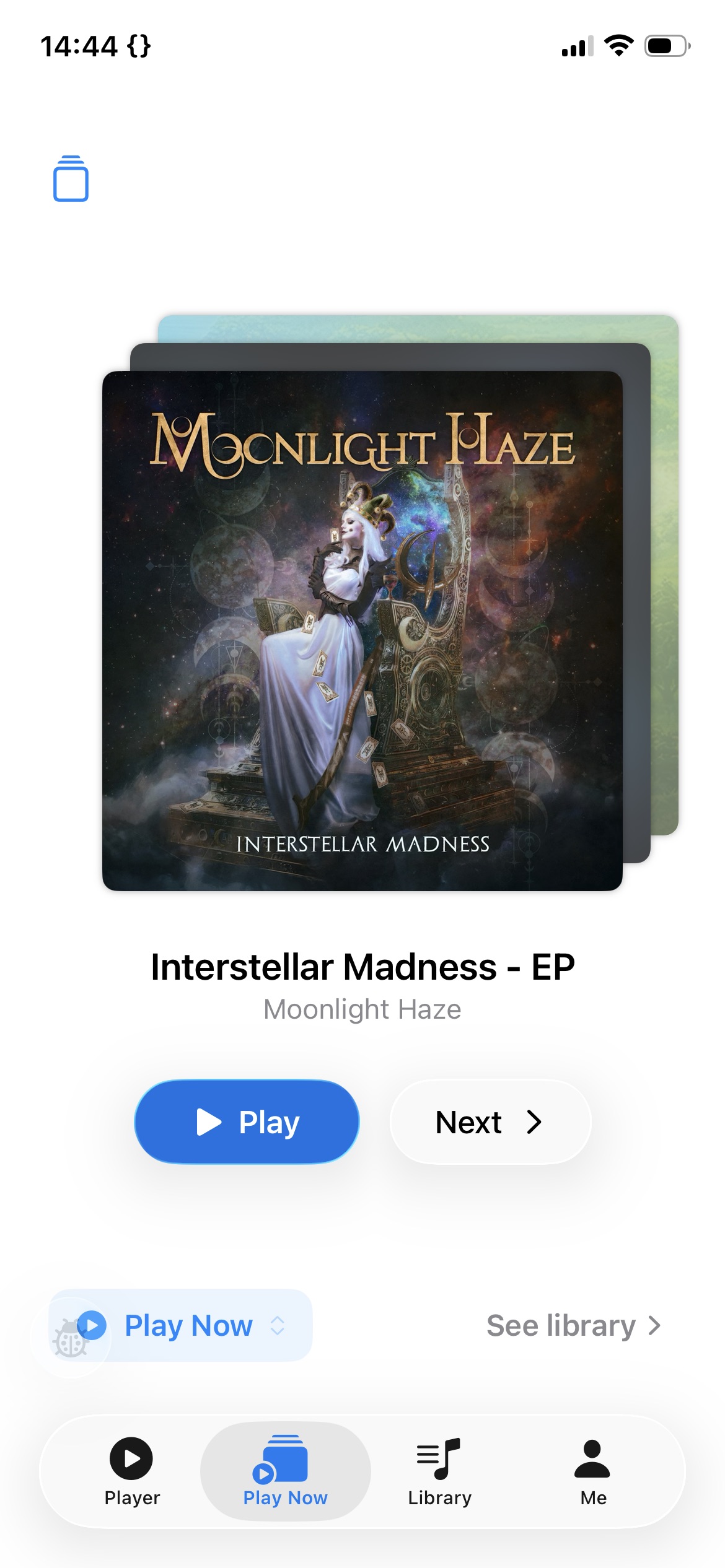
Play Now screen showing a single album card with Play and Next buttons
PLAY

Albums

Your most relevant albums surface first — spotlighted, then active, then planned. Pick one and play, or generate a mix of three albums to listen through. Pin what you like, remix the rest.

Favorites play mode showing a song list with Play and Remix buttons
PLAY

Favorite Songs

Songs you've marked good, great, and best become a mix that leans on your strongest picks. Tune the lean — heavy on bests, or a wider spread when you want range.

Album Mix play mode showing three album covers with Play and Remix buttons
PLAY

Album Mix

A mix pulled from albums you're currently exploring — full tracks, real sequencing. Pin albums to keep, dismiss what doesn't fit, and remix to regenerate the rest.

That's about it. More awaits in the app. Less browsing, better plays. No matter how big your collection is.

Just press play.

But first, press Download.

Download on theApp Store

Free. No account needed.